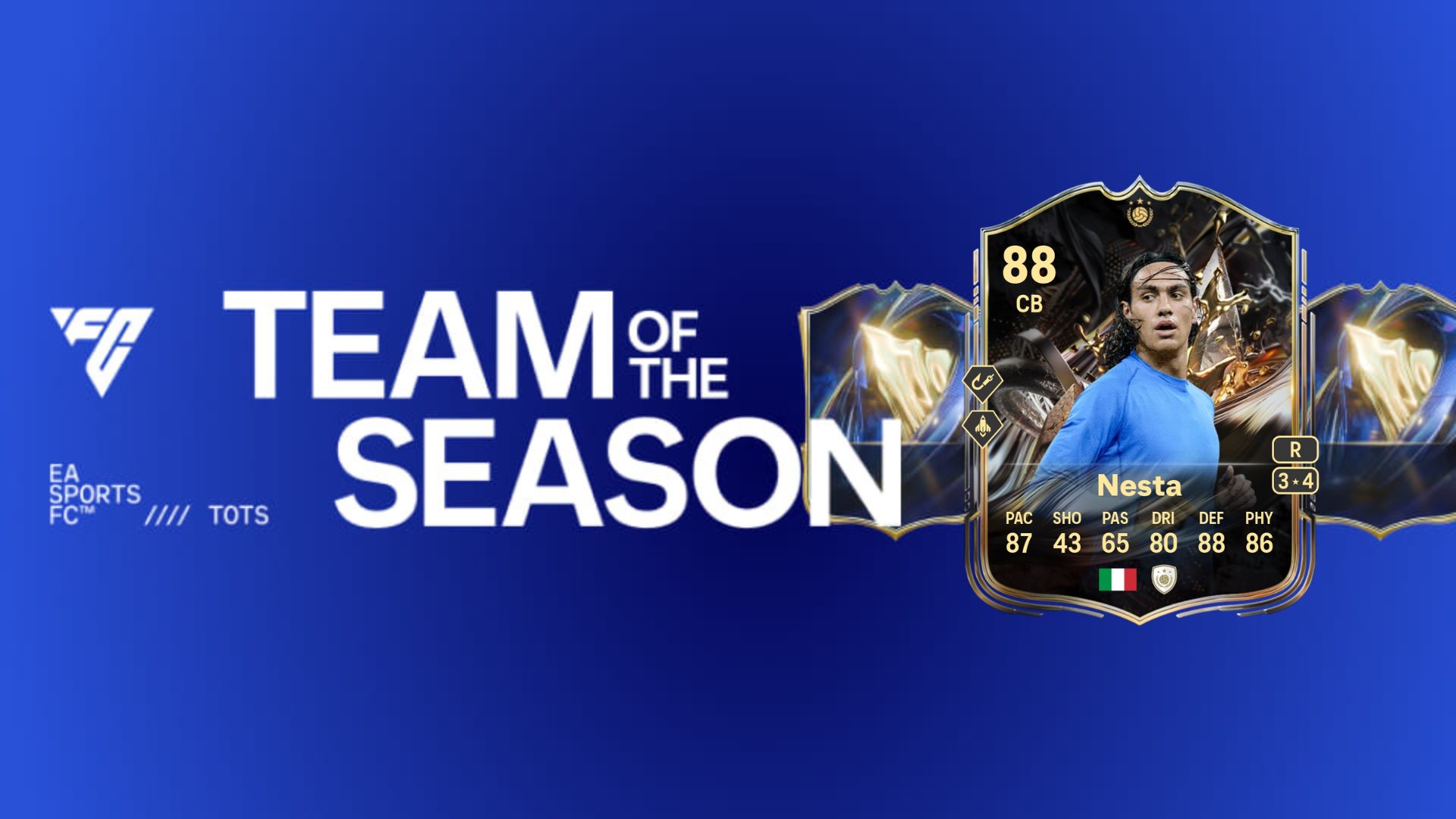
The Gear 5 Evolution is now available in FC 26, and it’s a peculiar upgrade option to consider. The evolution is pretty expensive, considering you need to spend 75,000 coins to unlock it. While it doesn’t offer extra playstyle+, you get to apply +5 upgrades in a huge number of stats.
Let’s check out the best options to consider for this evolution based on the upgrades and requirements.
Table of contents
FC 26 Gear 5 Evolution requirements
Here are the requirements of Gear 5 Evolution in FC 26.
- Overall: Max 89
- PlayStyle: Max 10
- PlayStyle+: Max 2
- Not Rarity: World Tour Silver Stars
- Not Position: GK
FC 26 Gear 5 Evolution upgrades
The evolution has five upgrade levels, each with specific conditions to meet.
Level 1 upgrades
- Overall: +5 |91
- Crossing: +5 |86
- Slide Tackle: +5 |90
- Sprint Speed: +5 |89
- Vision: +5 |91
- Weak Foot: +4
Level 2 upgrades
- Curve: +5 |90
- Heading Acc.: +5 |85
- Interceptions: +5 |88
- Long Passing: +5 |90
- Volleys: +5 |86
- Composure: +5 |87
Level 3 upgrades
- Agility: +5 |92
- Finishing: +5 |89
- Positioning: +5 |91
- Reactions: +5 |90
- Stand Tackle: +5 |86
- Skills: +4
Level 4 upgrades
- Balance: +5 |92
- Jumping: +5 |90
- Long Shots: +5 |87
- Short Passing: +5 |90
- Stamina: +5 |90
- Strength: +5 |86
Level 5 upgrades
- Acceleration: +5 |89
- Aggression: +5 |86
- Ball control: +5 |91
- Dribbling: +5 |92
- Def. Aware: +5 |86
- Shot Power: +5 |88
Level 1 upgrade requirements
- Play 1 match in Squad Battles on min Semi-Pro difficulty (or Rush/Rivals/Champions/Live Events) using your active EVO player.
Level 2 upgrade requirements
- Play 1 match in Squad Battles on min Semi-Pro difficulty (or Rush/Rivals/Champions/Live Events) using your active EVO player.
Level 3 upgrade requirements
- Play 1 match in Squad Battles on min Semi-Pro difficulty (or Rush/Rivals/Champions/Live Events) using your active EVO player.
Level 4 upgrade requirements
- Play 1 match in Squad Battles on min. Semi-Pro difficulty (or Rush/Rivals/Champions/Live Events) using your active EVO Player.
Level 5 upgrade requirements
- Play 2 matches in Squad Battles on min. Semi-Pro difficulty (or Rush/Rivals/Champions/Live Events) using your active EVO Player.
Best players to use in Gear 5 Evolution
Here are some of my best recommendations to include in the evolution.
- Campbell Trophy Titans Baby Icon
- Nesta Trophy Titans Baby Icon
- Maldini Trophy Titans Bay Icon
- Suzuki Primetime
- Carlos Espi LaLiga POTM
- Quaresma FUT Birthday Hero
- Koulibaly FC Fantasy
- Araujo Answer the Call
This is one of those strange evolutions that are ideally meant to be used for creating chain evolutions. This evolution should have been free, considering what it offers as upgrades.
The post Best players for FC 26 Gear 5 Evolution appeared first on Destructoid.
Dead as Disco is now available worldwide in early access, and you can tweak the in-game settings to get the best performance on your PC. The first few hours have been pretty positive, and I didn’t encounter many stutters or lags.
That said, this guide will solve the problem of any lag if you’re encountering it on your adventure.
Best Dead as Disco graphics settings
Before I deep dive into the settings, here’s how my current setup looks.
- AMD Ryzen 5600G
- NVIDIA RTX 3060 12 GB
- 16 GB of DDR5 RAM
If you visit the Steam page of Dead as Disco, you won’t find the recommended settings. The minimum requirements are present, and this guide is meant for those who have a relatively weaker setup. If you’re having a powerful set of specifications, chances are that the game is running pretty smoothly.
- Window Mode: Windowed Fullscreen/Fullscreen
- Vertical Sync: Off
- Global Illumination Mode: Off/SSGI. Don’t go for Lumen as it will consume more hardware.
- Global Illumination Quality: Medium
- Shadows: On
- Shadows Quality: Medium/Low
- View Distance: Far
- Textures: Medium
- Effects: Medium
- Reflections: Low
- Post Processing: Medium
- Anti-Aliasing: Medium
- Upscaling Method: Use what’s applicable for your device.
- Frame Generation: Off
- Anti-Lag: Yes, if you have an NVIDIA card.
- Chromatic Aberration: On
- Speed Lines: Off
- Frame Rate Limit: 60 FPS
- Frame Rate Limit (Background): 30 FPS
- Frame Rate Limit (Menu): 60 FPS
Since our aim is to get a steady performance, I have kept a cap on the frame rate. While there are higher options above 60 FPS, the limit smoothens the overall performance. I faced no lag at 60 FPS, and it’s sufficient to enjoy the game. This limit can be slightly increased once Dead as Disco receives a few post-launch updates.
Vertical Sync is another option that you should keep turned off. You gain very little from it, while keeping it turned off allows your PC to consume fewer resources. Finally, use an Upscaler as applicable since it will keep the lags at bay.
All said, Dead as Disco‘s day one performance is pretty satisfactory, and I expect it to get better once the early access version moves closer to full launch.
The post Best Dead as Disco graphics settings for no lag and max FPS appeared first on Destructoid.
Recommended Story For You :

Think of it as a GPS system for World of Warcraft

FIFA 2023 ULTIMATE TEAM MILLIONS MADE EASY

Joana's Clssic WotLK 1-80 & Era 1-60 Speed Leveling Guides

Empowering Gamers with the Ultimate Secret Gold Guide

A Practical Guide For Tactical Gaming

Terra Game - Where Adventure Awaits!