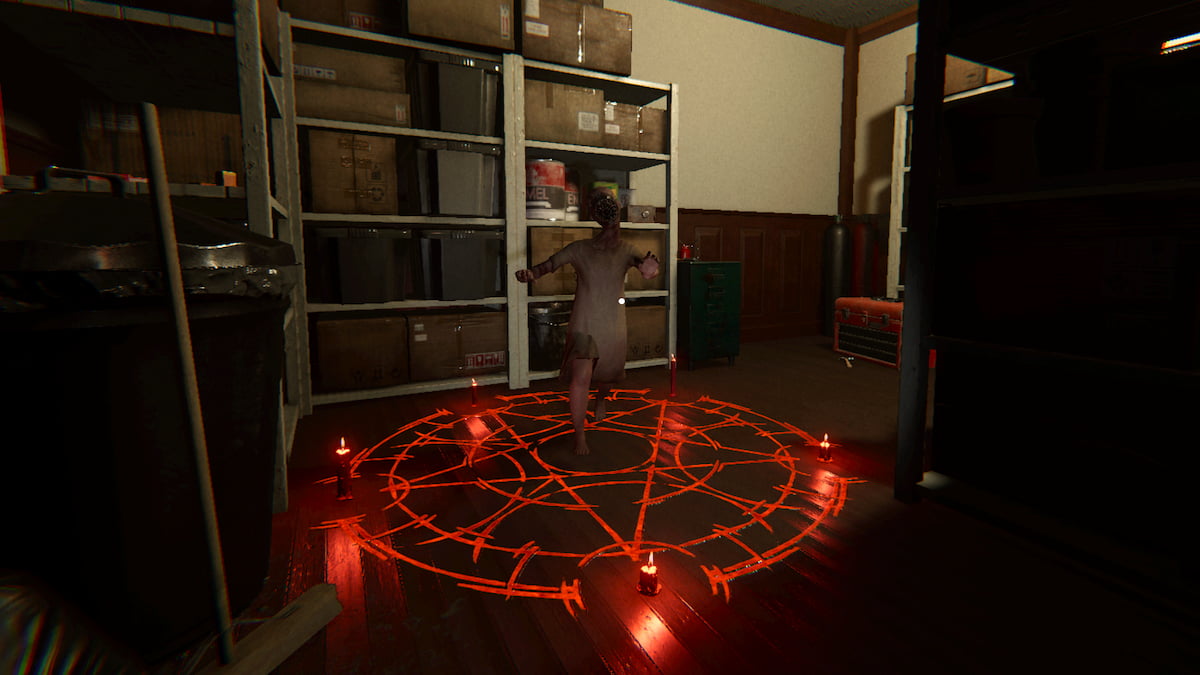
With nearly 30 ghosts to choose from, it can be tough to figure out the right one in each Phasmophobia contract. Some have been around since the start, while others, like the Dayan, joined fairly late into the game.
The Dayan was added alongside the Obambo and the Gallu in an update that launched on Dec. 16, 2025. Since it’s a fresher addition to the lineup, there’s a good chance you may not know how to spot one. Like all ghosts, this one has plenty of unique features you can look out for, so here’s how to identify a Dayan in Phasmophobia.
Table of contents
Dayan evidence in Phasmophobia
You can identify a Dayan by catching EMF Level Five, Ghost Orbs, and Spirit Box evidence. The Dayan is the only ghost with this specific combination of evidence, making it fairly easy to catch if you manage to gather all three.
| Evidence | How to get |
|---|---|
| EMF Level Five | Equip and use an EMF Reader until you catch an EMF Level Five reading. This can happen at any point when the ghost is active and interacting with the environment around you. It’s one of the toughest pieces of evidence to get, as there’s no way to know when or how the ghost will do something big enough for the reader to catch it. Use the EMF Reader frequently to ensure you don’t miss it. |
| Ghost Orbs | Use a Video Camera around the ghost room to look for small, moving Ghost Orbs. You can either walk around while holding one or place down a camera, then return to the truck to watch from there. Ghost Orbs only spawn in the ghost room, and generally only appear in one specific portion of it, so be sure to check every corner to avoid missing them. |
| Spirit Box | Turn on a Spirit Box and ask the ghost questions until you get a response. Any reply you get counts as Spirit Box evidence. This machine can be finicky, especially if you’re using a lower-tier version, so be sure to thoroughly test this type of evidence before ruling it out. |
Dayan behavior, patterns, and clues in Phasmophobia
All ghosts have some signature behavior, patterns, and clues you can watch out for, including the Dayan. These details are unofficial evidence, meaning you won’t need to mark them down in your journal, but they can be watched for to make your investigation easier. Here’s everything we know about the Dayan, which will be updated anytime we learn more about them.
- The Dayan can only be a female ghost and will thus always manifest with a female ghost model.
- The Dayan doesn’t like movement, including walking and running.
- When players move near them, the Dayan gains the ability to move more quickly.
- When players are standing still near them, the Dayan is forced to move more slowly.
- The Dayan has a default hunt sanity threshold of 50 percent.
- If a player is moving near the Dayan, the hunt sanity threshold is increased to 60 percent.
- When a player is within 10 meters of the Dayan, they move at a speed of 2.25 meters per second if the player moves, or 1.2 meters when the player is still.
If it doesn’t seem like the ghost you’re dealing with is a Dayan, consider testing for an Obambo or a Gallu next. And once you’re done with that, there are plenty of other tough tasks worth working on, like finding Slenderman, using the Sound Recorder, and getting all hidden achievements.
The post How to identify a Dayan in Phasmophobia appeared first on Destructoid.
The Locked Gate arrived in ARC Raiders as part of The North Line update, and completing it will require a fair amount of coordination. You can run across it randomly during the Cold Snap update, but the conditions remain the same.
Like all map conditions, the Locked Gate isn’t available at all times. You’ll have to be lucky to find it on a map rotation. This guide will help you to complete the event successfully if you manage to start a raid while it’s available.
Table of contents
ARC Raiders Locked Gate event walkthrough
The Locked Gate event takes place on the Blue Gate map, but adds a custom modifier. The modifier restricts you from using any Raider Hatches and also blocks entry to the underground tunnels. All of this is part of an emergency shutdown protocol. Your job will be to find relevant security codes to open a locked gate (hence, the name).
To begin the quest, head to the Gate Control Room inside the Warehouse Complex. I have marked its location on the screenshot below, but it’s hard to miss. The Warehouse Complex is located between the central and the northern part of the Blue Gate map.
Head inside the room, and you’ll find four systems. When you try to interact with them, you’ll be asked for security codes. Finding the security codes is easy, as they will have a POI in their respective names.
If you’re trying to find the Pilgrim’s Peak code, you’ll have to head over to the location. All four POIs will be present on the Blue Gate map, but finding them can take a fair amount of time (not to mention the added dangers of ARC enemies and enemy Raiders).
Checkpoint Gate location
Once you have found all four codes, head back to the Gate Control Room. Use the four codes to unlock the central gate in the Checkpoint POI (marked on the screenshot above). You’ll find an unlocked gate, along with plenty of valuable items to loot inside. However, be highly cautious as enemy Raiders could try to ambush you for a free lot.
The post How to complete Locked Gate event in ARC Raiders appeared first on Destructoid.
Recommended Story For You :

Think of it as a GPS system for World of Warcraft

FIFA 2023 ULTIMATE TEAM MILLIONS MADE EASY

Joana's Clssic WotLK 1-80 & Era 1-60 Speed Leveling Guides

Empowering Gamers with the Ultimate Secret Gold Guide

A Practical Guide For Tactical Gaming

Terra Game - Where Adventure Awaits!