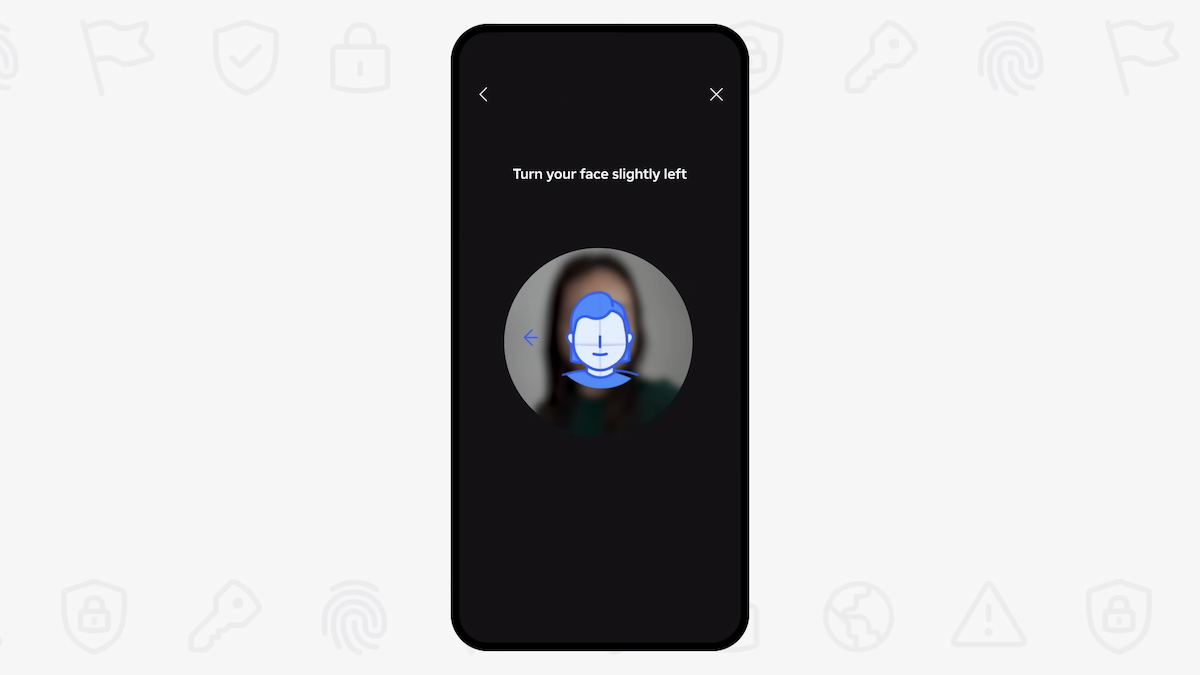
Two days after Roblox introduced a new age verification process across all platforms, the results are creating problems for many users.
On Jan. 7, Roblox made “facial age checks” a requirement to chat on the game, requiring you to use a camera and scan your face to use any chat feature. It will then give you an age estimate based on what it sees, shaping your chat experience and defining who you can and cannot interact with.
One of the problems with the feature, at least at the outset, is that it seems to come to incorrect conclusions. In many cases, it’s overestimating the age of children and then placing them into a bracket where they can chat with users deemed older than them.
“As the first large online gaming platform to require facial age checks for users of all ages to access chat, this implementation is our next step toward what we believe will be the gold standard for communication safety,” Roblox said on Jan. 7. “It enables age-based chat, which promotes a positive, age-appropriate experience for all users globally, and limits communication between adults and children younger than 16.”
Roblox said that “tens of millions of daily active users” completed an age check as the feature was rolled out in Australia, New Zealand, and the Netherlands in early December before being widely implemented this week. But the results since then are quite spotty.
One mother from the US told me that the game estimated her 10-year-old daughter was 16 years old. The new facial age check will overwrite whatever actual age the parent entered in the first place, and the information can only be corrected by then scanning some form of identification.
“Even if [my child] had an ID, I wouldn’t scan hers into their system to correct it,” she told me. “The age verification process often resulting in young kids being placed in older age groups defeats the purpose of trying to keep them safe online.”
And if you encounter similar errors or misidentification and want to try to correct the error via Roblox support, it then requires appealing through layers of AI agents before ever reaching a human who can fix it.
“I (37) like to play Roblox with my son (10) pretty frequently,” another Reddit post said. “I just age-verified both our accounts and now I can’t even chat to my own child in-game? Why the frick are Trusted Connections only available for 13-plus? We spend so much on this game over the years and now it takes away my ability to talk to my own child?”
Roblox has come under heavy scrutiny over the past few years for being a “breeding ground for predators,” according to the Florida attorney general, among several similar probes. Last month, the game was completely blocked in Russia for “LGBT propaganda.”
These new security measures look to be trying to keep children safe from nefarious users, but their implementation so far is leaving a lot to be desired for many, causing frustration for kids and parents alike.
I tried out the facial scan on a new account myself, and it correctly identified me as “21 or older.” But the RobloxHelp Reddit page is overflowing with complaints from many who are reporting issues with the tech, which looks to be largely AI-powered.
Destructoid has reached out to Roblox for comment on this story.
Update on Jan. 9 at 1:35pm CT: Roblox has responded to the article stating that “users can appeal their age check not only with ID verification but also parental controls, which allow parents to update their child’s age.”
More stories and complaints of facial age check issues have been steadily appearing on Reddit throughout the day.
The post Roblox is now scanning kids’ faces with AI to protect them from predators, and to no one’s surprise, it isn’t working properly appeared first on Destructoid.
StarRupture becomes a different proposition when you’re aiming to survive Arcadia-7 together with your buddies.
The current system of the early access build allows you to play in co-op lobbies of up to four players (including yourself). The multiplayer relies on the classic ‘host-based‘ gameplay, but there’s a modern twist that Creepy Jar has put in place.
How to play Multiplayer in StarRupture
To play in co-op, one of your group members has to be the host. The host is the person who creates the main world and sets up the game. Being the host doesn’t have any in-game advantage, so you can relax on that part. Once they have created the save, the host has to choose between ‘Friends Only’ or ‘Invite Only’.
The first option requires the host to invite every player for a session manually. The second option takes that requirement away, but the other players will have to be present on the host’s Steam friend list. To invite a player, the host will have to open the menu. By pressing on the empty slots, they can invite other players via Steam.
Once the other players have accepted the invite, they will be able to play together with the host. Usually, the host leaving the game would have meant the server shutting down. That can be prevented with the use of SaveSync (this is a third-party application that currently supports StarRupture and plenty of other co-op games).
How to use SaveSync in StarRupture
To use the software, both the host and other members in the group will need to own the software. SaveSync can be purchased and installed directly from Steam. Once done, you’ll have to open the app and click New Save after selecting StarRupture. All the available saved sessions will appear. Pick one and click Create Save.
The process above has to be done by the host. Once the sync is complete, there will be a green tick. The host can now share the save with the rest of the group. To join, you’ll have to open the SaveSync app. The shared file will appear automatically in your list of saves when you pick StarRupture. Choose Activate after selecting the saved file to make it available. Once done, you’ll be able to play in the same co-op world irrespective of the host’s presence.
The post How to create a Multiplayer server in StarRupture appeared first on Destructoid.
Recommended Story For You :

Think of it as a GPS system for World of Warcraft

FIFA 2023 ULTIMATE TEAM MILLIONS MADE EASY

Joana's Clssic WotLK 1-80 & Era 1-60 Speed Leveling Guides

Empowering Gamers with the Ultimate Secret Gold Guide

A Practical Guide For Tactical Gaming

Terra Game - Where Adventure Awaits!