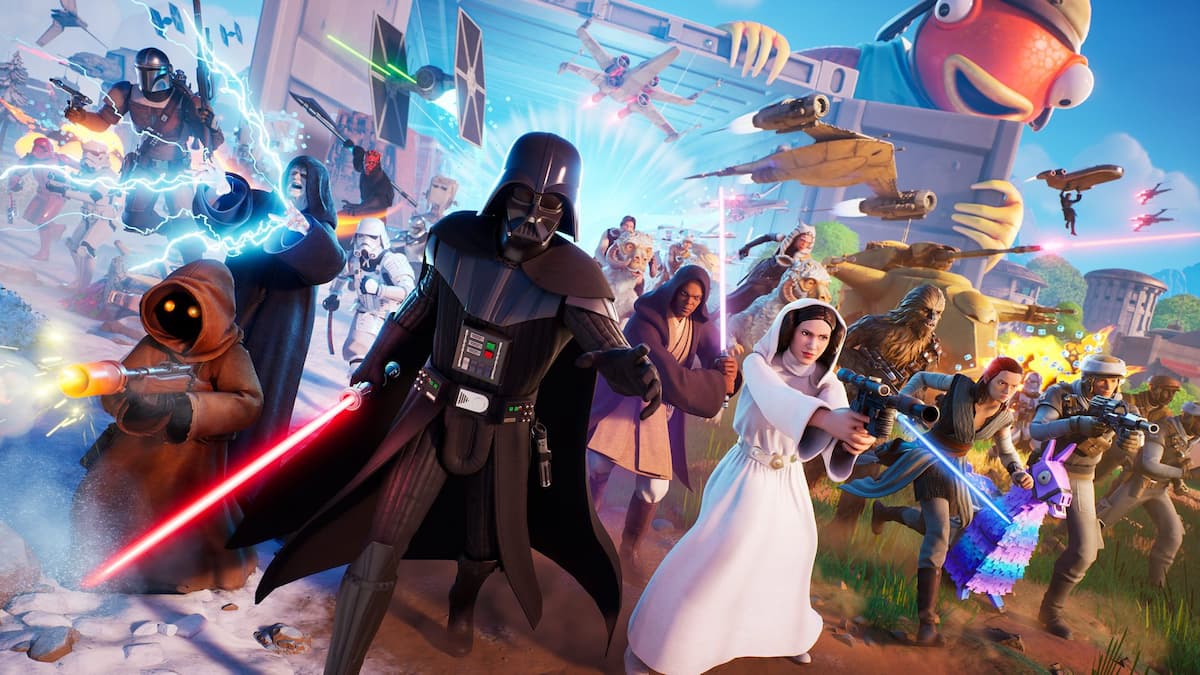
May the Fourth has arrived, which means it’s Star Wars season, and like clockwork, Fortnite has rolled out all kinds of festivities to celebrate. For 2026, Fortnite has launched a variety of unique game modes, all of which can be played to complete Unleash the Force quests for rewards.
This special event is only around for a limited time, and since it’s got quite a few freebies up for grabs, you won’t want to miss out on earning them while you can. These missions work very differently from Star Wars events that have been in Fortnite over the past years, though, so it can be a bit tricky to navigate. Here are all Fortnite Star Wars Unleash the Force quests and rewards.
Table of contents
All Fortnite Unleash the Force quests
There are four different quest series included in the Unleash the Force Star Wars event in Fortnite. To claim the free rewards tied to these missions, you’ll have to check off tasks in at least a few different series, as there are not enough quests in any one category to just stick to one.
Here’s a full breakdown of all quests you can tackle in the Unleash the Force event. Not all tasks are available yet, as additional missions will become available all throughout May to keep the celebration going, so as they do, we’ll add them here.
Star Wars: Islands quests
- Earn XP in Star Wars creator-made islands not made by Epic – Earn 80,000 XP by playing on Star Wars-themed maps that aren’t made by Epic Games.
Star Wars: Galactic Siege quests
- Claim three Capture Points – In the Galactic Siege game mode, claim a Capture Point for your team a total of three times. To finish this mission, you must be the one who claims the point. Any points captured by other teammates won’t count.
Star Wars: Escape Vader quests
- Deliver 12 Power Cells – In the Escape Vader game mode, locate and deliver a total of 12 Power Cells. You’ll encounter this task by progressing naturally through each round. Power Cells found by both you and your teammates count.
Star Wars: Droid Tycoon quests
- Use the Rebirth Station to Rebirth one time – In the Droid Tycoon game mode, interact with and use the Rebirth Station once to Rebirth. You have to build up your Tycoon quite a bit to get to the point where you can use this station, so focus on progressing through all basic features until you’re able to get it. As long as you focus on building it up, you’ll naturally unlock this station as you play.
All Fortnite Unleash the Force rewards
There are five unique Star Wars-themed rewards you can earn by progressing through the Unleash the Force quests. To claim them all, you’ll need to check off 15 different quests. Here are all of the prizes up for grabs in this event.
| Task | Reward |
|---|---|
| Complete three Unleash the Force quests. | Ship Banner Icon |
| Complete six Unleash the Force quests. | Rebel Tauntaun Spray |
| Complete nine Unleash the Force quests. | Unleash the Force Loading Screen |
| Complete 12 Unleash the Force quests. | Sith Holocron Back Bling |
| Complete 15 Unleash the Force quests. | Shock Trooper Electrostaff |
If you want to take a break from tackling Star Wars-themed missions, there’s plenty to get done in regular Battle Royale. Some quests worth focusing on include finding Chaos Cubes in or around Elites Outpost or Treechopped Timbermill, riding on a player’s shoulders to gather intel on their movements, and finding The Foundation’s lost helmet and cape.
The post All Fortnite Star Wars Unleash the Force quests and rewards appeared first on Destructoid.
Dead as Disco is now available worldwide in early access, and you can tweak the in-game settings to get the best performance on your PC. The first few hours have been pretty positive, and I didn’t encounter many stutters or lags.
That said, this guide will solve the problem of any lag if you’re encountering it on your adventure.
Best Dead as Disco graphics settings
Before I deep dive into the settings, here’s how my current setup looks.
- AMD Ryzen 5600G
- NVIDIA RTX 3060 12 GB
- 16 GB of DDR5 RAM
If you visit the Steam page of Dead as Disco, you won’t find the recommended settings. The minimum requirements are present, and this guide is meant for those who have a relatively weaker setup. If you’re having a powerful set of specifications, chances are that the game is running pretty smoothly.
- Window Mode: Windowed Fullscreen/Fullscreen
- Vertical Sync: Off
- Global Illumination Mode: Off/SSGI. Don’t go for Lumen as it will consume more hardware.
- Global Illumination Quality: Medium
- Shadows: On
- Shadows Quality: Medium/Low
- View Distance: Far
- Textures: Medium
- Effects: Medium
- Reflections: Low
- Post Processing: Medium
- Anti-Aliasing: Medium
- Upscaling Method: Use what’s applicable for your device.
- Frame Generation: Off
- Anti-Lag: Yes, if you have an NVIDIA card.
- Chromatic Aberration: On
- Speed Lines: Off
- Frame Rate Limit: 60 FPS
- Frame Rate Limit (Background): 30 FPS
- Frame Rate Limit (Menu): 60 FPS
Since our aim is to get a steady performance, I have kept a cap on the frame rate. While there are higher options above 60 FPS, the limit smoothens the overall performance. I faced no lag at 60 FPS, and it’s sufficient to enjoy the game. This limit can be slightly increased once Dead as Disco receives a few post-launch updates.
Vertical Sync is another option that you should keep turned off. You gain very little from it, while keeping it turned off allows your PC to consume fewer resources. Finally, use an Upscaler as applicable since it will keep the lags at bay.
All said, Dead as Disco‘s day one performance is pretty satisfactory, and I expect it to get better once the early access version moves closer to full launch.
The post Best Dead as Disco graphics settings for no lag and max FPS appeared first on Destructoid.
Recommended Story For You :

Think of it as a GPS system for World of Warcraft

FIFA 2023 ULTIMATE TEAM MILLIONS MADE EASY

Joana's Clssic WotLK 1-80 & Era 1-60 Speed Leveling Guides

Empowering Gamers with the Ultimate Secret Gold Guide

A Practical Guide For Tactical Gaming

Terra Game - Where Adventure Awaits!