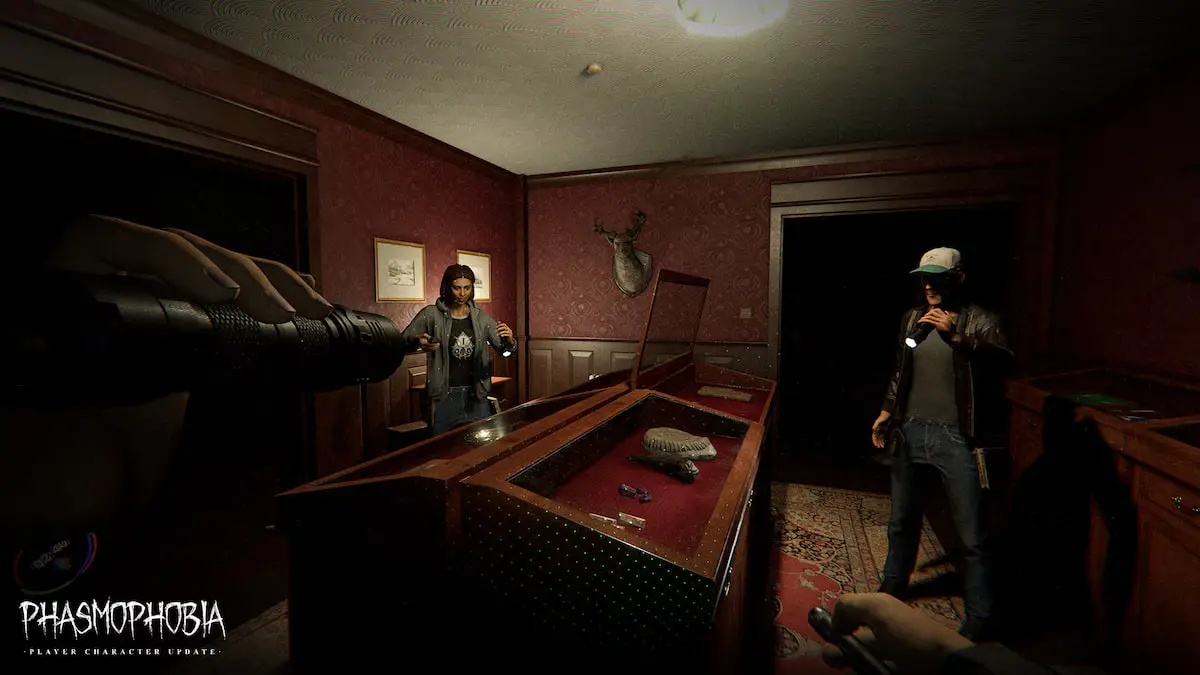
One of Phasmophobia’s biggest updates to date has arrived, completely reimagining how ghost hunters look with the player character update. It can be tricky to figure out what’s new in fresh updates all on your own, so you may be wondering which features arrived in this one.
This is one of the largest updates the ghost hunting game has ever seen, but many of the features are more subtle and integrated into everyday gameplay, making them a bit tougher to pick up on. To ensure you know everything about this exciting step forward for the game, here are all of the new features in Phasmophobia’s player character update.
Phasmophobia player character update patch notes
The player character update is focused on completely overhauling the old models with brand new avatars in Phasmophobia. This is a huge change, so although the avatars are the main focus, many other alterations have also been made to accompany it. Here’s a full breakdown of everything featured in this update.
- Complete overhaul of the player character avatar. The base model has been completely reworked.
- There are 12 new character models you can choose from, all of which have unique looks and backstories.
- All players now have a visible body that you can see while playing.
- All character models can be customized with a variety of features, including hair color, clothing, accessories, and more.
- Teammates can now see everything that other players are holding without needing to ask, since all items are now visible on the updated player character models.
- You can unlock additional cosmetics to further customize your character.
- The updated player character avatars have loads of new animations to go with them. Just about every interaction has been updated, as players now use their visible hands to complete tasks like taking EMF readings, opening the Journal, lighting Firelights with Igniters, and much more.
- More dynamic and realistic movements overall, which means no more bendy backs and other similar animations you could previously perform with the old player character models.
- New death and revival animations to accompany the fresh avatars.
- The Journal is now an actual item you use rather than just a UI feature. It doesn’t take up any slot space like equipment, but anytime you use it, you’ll see your visible hands holding it rather than it just opening up as a separate UI screen.
- All players now have a watch strapped to their left wrist. This handy tool can be used to monitor sanity levels, keep track of the elapsed time in each round, and check whether or not your microphone is active.
- Flashlights are now held in the left hand.
- Doors now have physics, which means they’ll keep moving whenever you let them go.
The best way to check out all of these exciting changes and additions is to dive right into investigating, as most of them are best experienced while on the job. If you’re looking for some tasks to focus on while you do so, consider working on finishing the weekly challenge, capturing unique evidence, completing hidden achievements, and using the Music Box.
The post All new features in Phasmophobia player character update appeared first on Destructoid.
Dead as Disco is now available worldwide in early access, and you can tweak the in-game settings to get the best performance on your PC. The first few hours have been pretty positive, and I didn’t encounter many stutters or lags.
That said, this guide will solve the problem of any lag if you’re encountering it on your adventure.
Best Dead as Disco graphics settings
Before I deep dive into the settings, here’s how my current setup looks.
- AMD Ryzen 5600G
- NVIDIA RTX 3060 12 GB
- 16 GB of DDR5 RAM
If you visit the Steam page of Dead as Disco, you won’t find the recommended settings. The minimum requirements are present, and this guide is meant for those who have a relatively weaker setup. If you’re having a powerful set of specifications, chances are that the game is running pretty smoothly.
- Window Mode: Windowed Fullscreen/Fullscreen
- Vertical Sync: Off
- Global Illumination Mode: Off/SSGI. Don’t go for Lumen as it will consume more hardware.
- Global Illumination Quality: Medium
- Shadows: On
- Shadows Quality: Medium/Low
- View Distance: Far
- Textures: Medium
- Effects: Medium
- Reflections: Low
- Post Processing: Medium
- Anti-Aliasing: Medium
- Upscaling Method: Use what’s applicable for your device.
- Frame Generation: Off
- Anti-Lag: Yes, if you have an NVIDIA card.
- Chromatic Aberration: On
- Speed Lines: Off
- Frame Rate Limit: 60 FPS
- Frame Rate Limit (Background): 30 FPS
- Frame Rate Limit (Menu): 60 FPS
Since our aim is to get a steady performance, I have kept a cap on the frame rate. While there are higher options above 60 FPS, the limit smoothens the overall performance. I faced no lag at 60 FPS, and it’s sufficient to enjoy the game. This limit can be slightly increased once Dead as Disco receives a few post-launch updates.
Vertical Sync is another option that you should keep turned off. You gain very little from it, while keeping it turned off allows your PC to consume fewer resources. Finally, use an Upscaler as applicable since it will keep the lags at bay.
All said, Dead as Disco‘s day one performance is pretty satisfactory, and I expect it to get better once the early access version moves closer to full launch.
The post Best Dead as Disco graphics settings for no lag and max FPS appeared first on Destructoid.
Recommended Story For You :

Think of it as a GPS system for World of Warcraft

FIFA 2023 ULTIMATE TEAM MILLIONS MADE EASY

Joana's Clssic WotLK 1-80 & Era 1-60 Speed Leveling Guides

Empowering Gamers with the Ultimate Secret Gold Guide

A Practical Guide For Tactical Gaming

Terra Game - Where Adventure Awaits!



