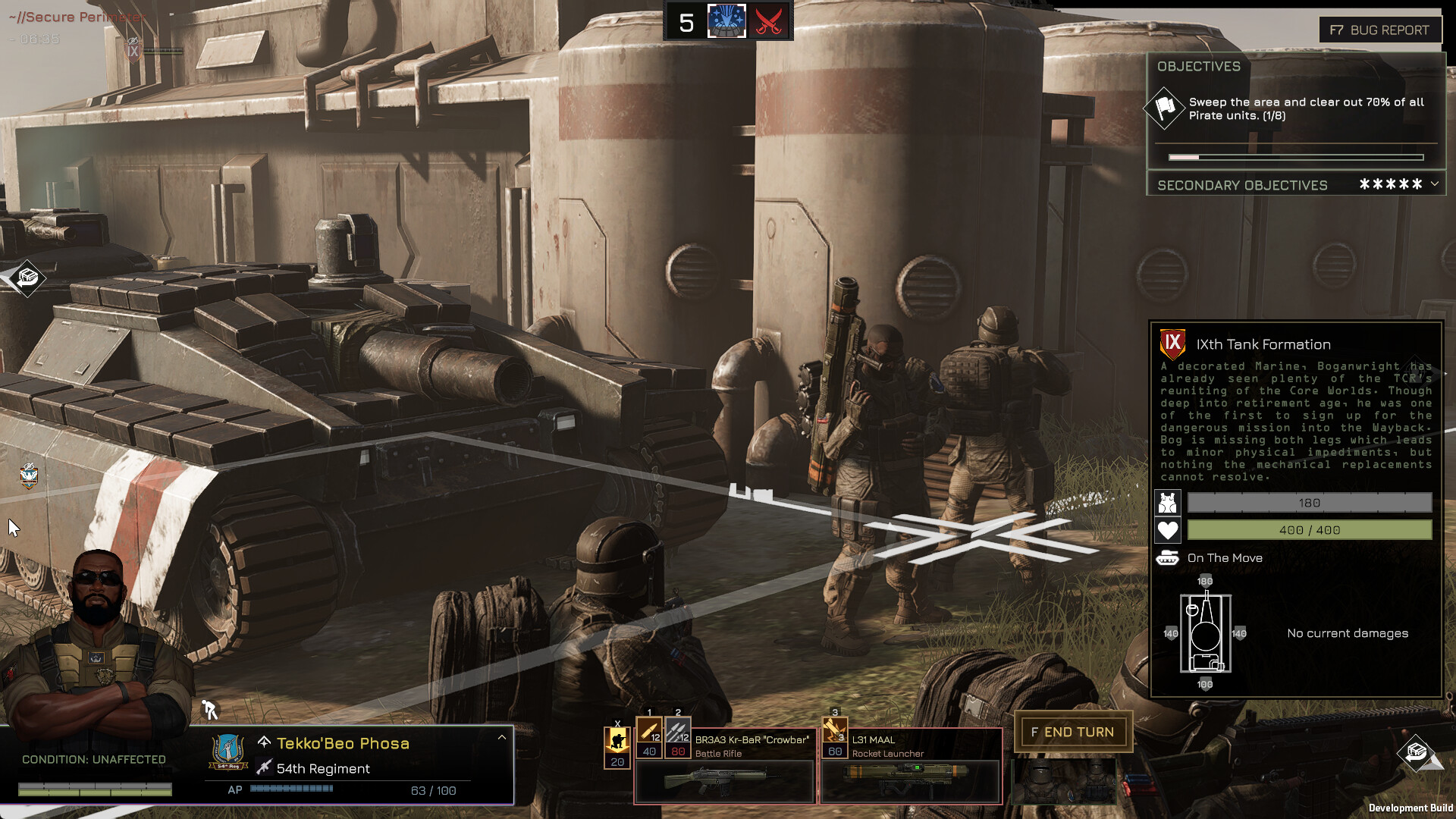
MENACE is the latest turn-based tactics adventure to go live in 2026, and you have to make a key decision in the very first minute. You’ll need to pick four squad leaders to form your initial set of armies that will be key to completing objectives and missions.
All eight squad leaders have their own strengths and weaknesses. Since we will be at our weakest when starting, it’s essential to pay attention to the initial pick. Let’s look at which four squad leaders you should ideally pick.
Table of contents
Best starter squad leaders to pick in MENACE
All eight squad leaders can be solid additions for your units, but here are my four favorite choices.
Jane Darby
Jane offers 110 Action Points, which is the joint-highest at the start of the game. Higher Action Points allow you to enjoy more turns during a battle. Her Accuracy (80) and Discipline (75) ratings are pretty good, while offering 5% Critical Chance and 12% Defense.
Her Growth Potential is more than decent at 5, and the 40 Supply Cost is pretty moderate.
Charles Lim
Lim is one of the best budget picks when starting MENACE. He offers 100 Action Points along with 75 Discipline, 5% Damage Reduction, and 5% Defense. He lacks a Critical Chance modifier, and 65 Accuracy is towards the lower end of the spectrum.
While some of his stats might not be impressive, Lim offers 7 Growth Potential and Promotion Tax of just 10. His Supply Cost at 20 is pretty low as well among the starting squad leaders (however, there are cheaper ones).
Renu Rewa
Rewa is my pick for a mobile unit. While Achilleas is a better pick in terms of abilities and stats, Rewa is far more affordable. Offering 100 Action Points, Rewa has 70 Accuracy and Discipling, 2% Critical Chance, and a moderate Supply Cost of 40.
However, she lacks Defensive abilities, which could be a slight worry. While her Promotion Tax is manageable, the Growth Potential of 5 is a bit of a headache. That said, she’s a well-rounded and balanced pick at the start.
Tekko’Beo Tech
My final recommendation and pick is Tech, who looks like a solid all-rounder. This infantry unit leader offers 100 Action Points, 25% Damage Reduction, and 14 Hitpoints. The Accuracy of 65 could have been better, but his Supply Cost at 20 is pretty manageable.
Like Rewa, Tech has a low Growth Potential of only 3, but you don’t need to bother much about that when you’re just starting.
The post Which four initial squad leaders should you pick in MENACE appeared first on Destructoid.
Nioh 3 is a truly visual masterpiece that’s better played in high graphics, but the performance in the early hours hasn’t been smooth. If you’re on a PC, you can easily tweak certain settings to get more out of your hardware.
We already got an early taste of PC gameplay, all thanks to the demo that’s available for free. While a massive benefit is continuing the main story on the full version, it also gave us an idea about what the best set of visual settings might look like.
Best Nioh 3 graphics settings
Before I dive deeper into the settings, here’s how my setup looks.
- AMD Ryzen 5600G
- NVIDIA RTX 3060 12 GB
- 16 GB of DDR5 RAM
Here are the settings I rolled with on my PC.
- Display Mode: Borderless
- VSync: Off
- Resolution: 1920×1080 (depends on your setup)
- Frame Rate Cap: 60 FPS
- Graphics Presets: Custom
- Upscaling: DLSS
- Sharpening: 1.0
- Rendering Resolution: 65%
- Dynamic Resolution: 60
- Minimum Rendering Resolution: 50%
- Maximum Rendering Resolution: 65%
- Frame Generation: Off
- FPS Dynamic Adjustment: On
- HDR: Off
- Post-Effects Resolution: Standard
- Motion Blur: Off
- Chromatic Aberration: Off
- Len Vignette: Off
- Noise Filter: Off
- Mach Band Noise: Off
- Color Precision: Standard
- Depth of Field: Off
- Lens Flare: Off
- Bloom: Off
- Subsurface Scattering: Off
- Shadow Quality: Standard
- Ambient Occlusion: Very Low
- Model Quality: Standard
- Model Texture Quality: Standard
- Number of Models Displayed: Few
- Wind Sway: Off
- Anisotropic Filtering: Off
- Effects: Standard
- Motion Quality: Low
- Screen Space Reflection: Very Low
- Background Mesh Quality: Standard
- Terrain: Low
- Grass Density: Low
- Volumetric Cloud Quality: Low
- FPS (Cutscenes): 30
- Cutscene Quality: Standard
- Global Illumination: Standard
There are two pointers to note.
- I kept Vsync off because you reduce the load on your system but sacrifices very little in return. Hence, it’s best to keep it off.
- Keeping the FPS capped to 60 gave me the best results. There were no lags, no stutters, and the performance held steady at 60 FPS. However, you can choose to go for uncapped if you have a better system.
The post Best Nioh 3 settings for no lag and max FPS appeared first on Destructoid.
Recommended Story For You :

Think of it as a GPS system for World of Warcraft

FIFA 2023 ULTIMATE TEAM MILLIONS MADE EASY

Joana's Clssic WotLK 1-80 & Era 1-60 Speed Leveling Guides

Empowering Gamers with the Ultimate Secret Gold Guide

A Practical Guide For Tactical Gaming

Terra Game - Where Adventure Awaits!