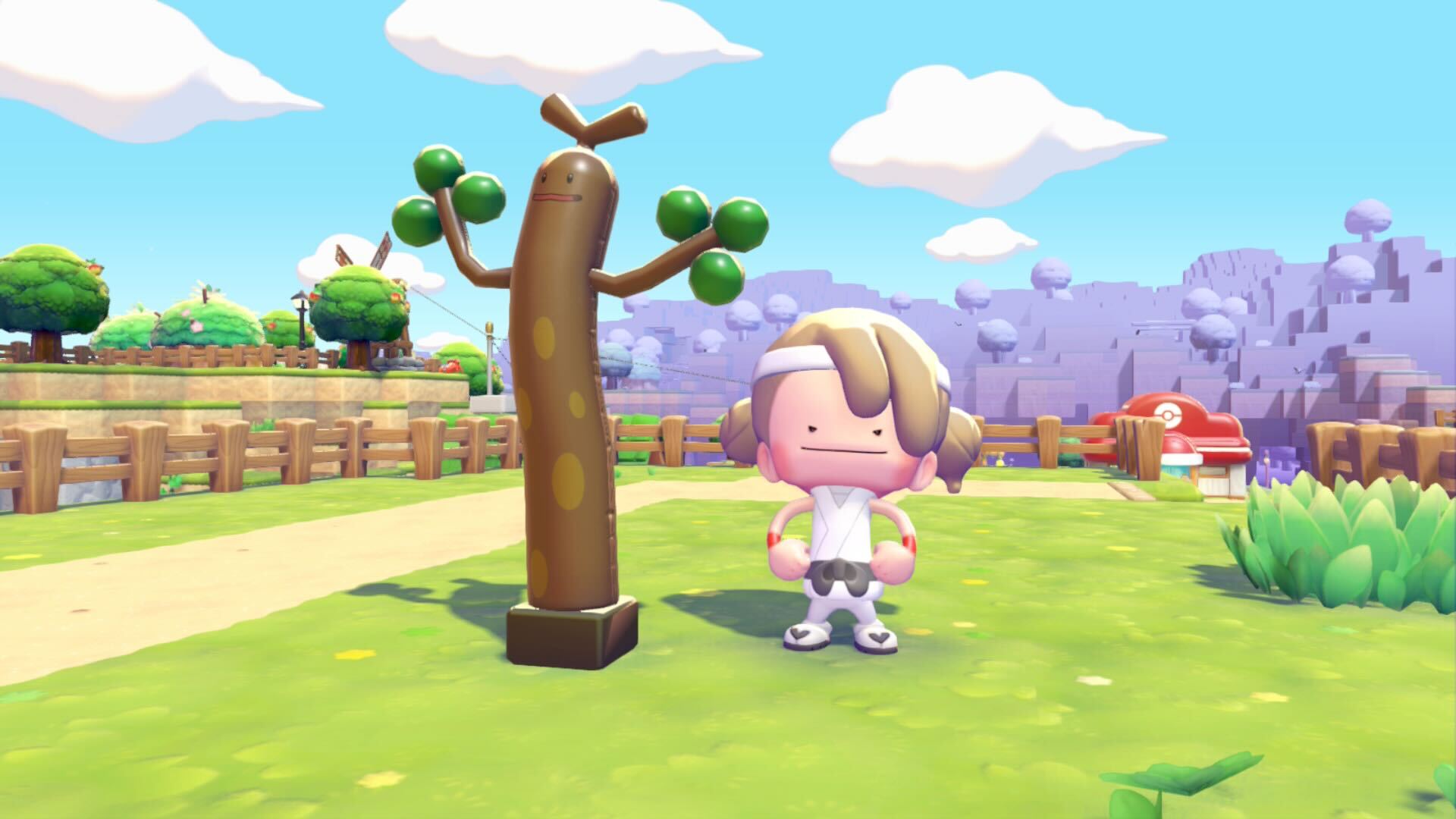
It’s that time of year again, Pokémon trainers—the time for pranks, practical jokes, and Mankeying around. Pokopia is getting in on the shenanigans for April Fools’ Day with a new item: the Inflatable Sudowoodo decoration, and it’s one you’ll be able to get for only a limited time.
The Inflatable Sudowoodo decoration is exactly what it sounds like: a balloon shaped like the Rock type. The furniture item resembles one of those inflatable men you might see outside of a car dealership that blows around in the wind and wildly waves its arms in the air. “A balloon shaped like Sudowoodo,” the item’s description reads. “It stands up and dances around just like a real Sudowoodo too!”
The Inflatable Sudowoodo is only available for you to claim on April 1. Like other limited-time events in Pokopia, though, you can time-travel to it by going into your Nintendo Switch 2’s system settings and changing the clock. When you restart the game, it’ll be whatever day your system’s clock is set to.
Whenever you wake up on April Fools’ Day, you’ll get an interesting message at the Pokémon Center PC saying the Pokémon want to do something “a little different from usual.” If you open the PC’s challenges menu, you’ll see a new entry that tasks you with correctly answering three special quizzes, which will be given to you by the resident Pokémon inhabiting your town.
To start each quiz, you’ll need to look for three dots above Pokémon’s heads and then speak to them. It may take you a minute to find Pokémon with the quest indicator, but they can be any inhabitant of your current location, or you can travel to one of the other regions to look for one.
For the quizzes, the Pokémon will pretend to be another resident in your village. They’ll ask you who they’re pretending to be, and you’ll have to pick between two other Pokémon. If you get it wrong, it won’t count towards your total, and you’ll need to take another quiz. Get it right, though, and you’re one step closer to obtaining an Inflatable Sudowoodo.
Once you’ve correctly answered all three quizzes, head back to the PC to claim your reward. It will automatically appear in your inventory, as is the case when you purchase a furniture item directly from the PC Shop menu. Whenever you place the Sudowoodo toy on the ground, it’ll blow around in the wind as if it were dancing. You can only get one per April Fools’ Day, so if you want to create your very own Sudowoodo army, you’ll need to time-travel to future April Fools’ Days and repeat the challenge.
The post How to get the April Fools’ Day Inflatable Sudowoodo decoration in Pokopia appeared first on Destructoid.
Our beloved Scrappy is no longer the rooster that it was in ARC Raiders, and you can now feed it different items. The new feeding boost system is an extension of the default upgrade system since you can get bonuses.
This guide will state all the bonus rewards that you can get from feeding Scrappy with various food items.
All ARC Raiders Scrappy feeding boosts explained
There are two types of bonuses you can activate by feeding Scrappy. The table below has all the important information that you’ll need when trying to activate the boosts.
| Food item | Feeding Rewards | Resource Bonus |
|---|---|---|
| Agave | Mods/Mod crafting materials | Assorted Seeds |
| Apricot | Gunsmith material or equipment | Metal Parts |
| Fruit Mix | Better chance of finding Topside materials | Rubber Parts Fabric Chemicals Metal Parts Plastic Parts Assorted Seeds |
| Lemon | Explosive Station materials or equipment | Chemicals |
| Mushroom | Gear Bench materials or equipment | Plastic Parts |
| Olives | Medical lab materials or equipment | Fabric |
| Prickly Pear | Utility Station material or equipment | Rubber Parts |
Both the Feeding Rewards and Resource Bonus will be activated for one round once Scrappy has been fed. The bonuses and rewards will be determined by what you’re feeding Scrappy, and you can queue up to six different food items.
Once the round is finished, you’ll get your applicable rewards. The collection box has a limit, so check it after every round or two to see if Scrappy has managed to get anything valuable.
How to feed Scrappy in ARC Raiders
Once you have a food item, you can feed it to Scrappy. If you have extra, you can add it to the queue. That way, you won’t need to add the food item after every round manually. Once the round is over, you’ll get the bonus materials in the Collection Box.
Ideally, you should always feed food items that match your requirements (in terms of the offered bonuses).
The post All ARC Raiders Scrappy feeding rewards and resource bonuses explained appeared first on Destructoid.
Recommended Story For You :

Think of it as a GPS system for World of Warcraft

FIFA 2023 ULTIMATE TEAM MILLIONS MADE EASY

Joana's Clssic WotLK 1-80 & Era 1-60 Speed Leveling Guides

Empowering Gamers with the Ultimate Secret Gold Guide

A Practical Guide For Tactical Gaming

Terra Game - Where Adventure Awaits!