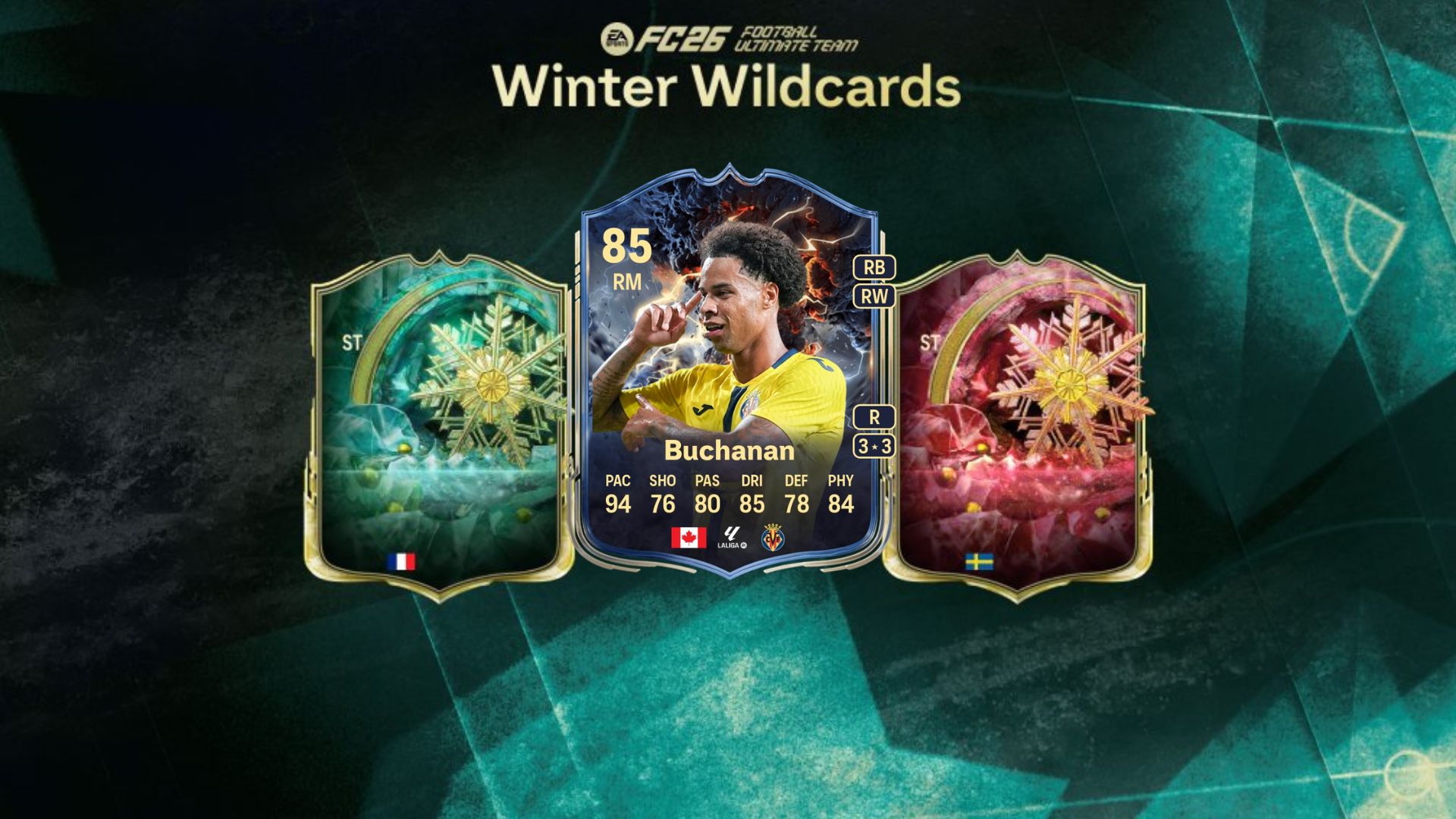
The New Year Overdrive Evolution has arrived in FC 26 Ultimate Team, and it’s an exciting upgrade to use.
While the evolution is available for free, it’s not your usual cup of tea in terms of the offered upgrades. However, your chosen card will get stat upgrades, a boost to the overall rating, and new roles/playstyles. Let’s look at the best evo contenders based on the offered upgrades and the requirements.
Table of contents
FC 26 New Year Overdrive Evolution requirements
Here are the requirements of New Year Overdrive Evolution in FC 26.
- Overall: Max 85
- Defending: Max 82
- PlayStyle: Max 10
- PlayStyle+: Max 1
- Not Rarity: World Tour Silver Stars
- Position: RB
- Not Position: CB
FC 26 New Year Overdrive Evolution upgrades
The evolution has five levels of upgrades, each with certain conditions to fulfill.
Level 1 upgrades
- Overall: +15|87
- Ball control: +15|88
- Skills: +2|4
- PlayStyles: Quick Step|7
- Roles: Attacking Wingback++
Level 2 upgrades
- Dribbling: +15|87
- Long Passing: +25|85
- Reactions: +15|88
- Stamina: +15|88
- PlayStyles: Pinged Pass|7
Level 3 upgrades
- Shootin: +30|83
- Defending: +10|80
- Aggression: +15|80
- Balance: +15|88
- Curve: +25|88
Level 4 upgrades
- Agility: +15|93
- Short Passing: +25|86
- Sprint Speed: +15|91
- Strength: +15|80
- Composure: +15|85
- Roles: Wingback++
Level 5 upgrades
- Acceleration: +15|91
- Crossing: +25|92
- Vision: +25|85
- PlayStyles+: Quick Step|1
- PlayStyles: Technical|7
- Roles: Inverted Wingback++
Level 1 upgrade requirements
- Play 1 match in Squad Battles on min. Semi-Pro difficulty (or Rush/Rivals/Champions/Live Events) using your active EVO Player in game.
Level 2 upgrade requirements
- Play 1 match in Squad Battles on min. Semi-Pro difficulty (or Rush/Rivals/Champions/Live Events) using your active EVO Player in game.
Level 3 upgrade requirements
- Play 1 match in Squad Battles on min. Semi-Pro difficulty (or Rush/Rivals/Champions/Live Events) using your active EVO Player in game.
Level 4 upgrade requirements
- Play 1 match in Squad Battles on min. Semi-Pro difficulty (or Rush/Rivals/Champions/Live Events) using your active EVO Player in game.
Level 5 upgrade requirements
- Play 1 match in Squad Battles on min. Semi-Pro difficulty (or Rush/Rivals/Champions/Live Events) using your active EVO Player in game.
Best players to use in New Year Overdrive Evolution
Here are some of my best recommendations for inclusion in the evolution.
- Lewis Miley TOTW
- Alexander Bah
- Seriki TOTW
- Buchanan Thunderstruck
- Charles Squad Foundations
- Marcos Llorente
- Gwinn
- Dodo
- Joao Cancelo
- Johnston Winter Wildcards
- Cambiasso
While the upgrades are significant, you will be able to include these cards in future evolutions to create a chain and evolve their stats further.
The post Best players for FC 26 New Year Overdrive Evolution appeared first on Destructoid.
Modifying game data in My Winter Car isn’t the easiest of tasks as of writing, but there’s a backdoor way of tweaking the in-game stats.
This is possible all thanks to the My Summer Car Editor, or MSCEditor in short. It doesn’t work flawlessly in My Winter Car (since it was not specifically developed for it), but you can still use the tool to some extent, and this guide will explain the complete process.
Table of contents
How to install the MSCEditor for My Winter Car
The basic steps for installing and using the MSCEditor for My Winter Car are the same as My Summer Car. However, it isn’t fully functional (something you should keep in mind).
- Install the app from NexusMods.
- Extract the app file, and run it.
- Select Open from the top-left, and select the default save file for My Winter Car. You can find the file from the My Winter Car saves folder (Users-Username-AppData-LocalLow-Amistech-MyWinterCar).
- The file you’re looking for will be at the top of the folder. It will be titled ‘savefile’.
To alter the values, you must open the save file via the MSCEditor app. If you open it from outside, you won’t be able to tweak any of the save file values properly.
Will there be a new app for My Winter Car
My Winter Car is built on the same engine as My Summer Car. Hence, there’s a strong chance that we will get an exclusive editor app. However, such an app isn’t available at the time of writing. If that changes, it will be easier for us to edit the save files and the values present on them.
A timeline is hard to predict since it entirely depends on the community and how quickly someone can develop the mod.
The post How to use the My Winter Car Editor and modify game data appeared first on Destructoid.
Recommended Story For You :

Think of it as a GPS system for World of Warcraft

FIFA 2023 ULTIMATE TEAM MILLIONS MADE EASY
Joana's Clssic WotLK 1-80 & Era 1-60 Speed Leveling Guides

Empowering Gamers with the Ultimate Secret Gold Guide
A Practical Guide For Tactical Gaming

Terra Game - Where Adventure Awaits!