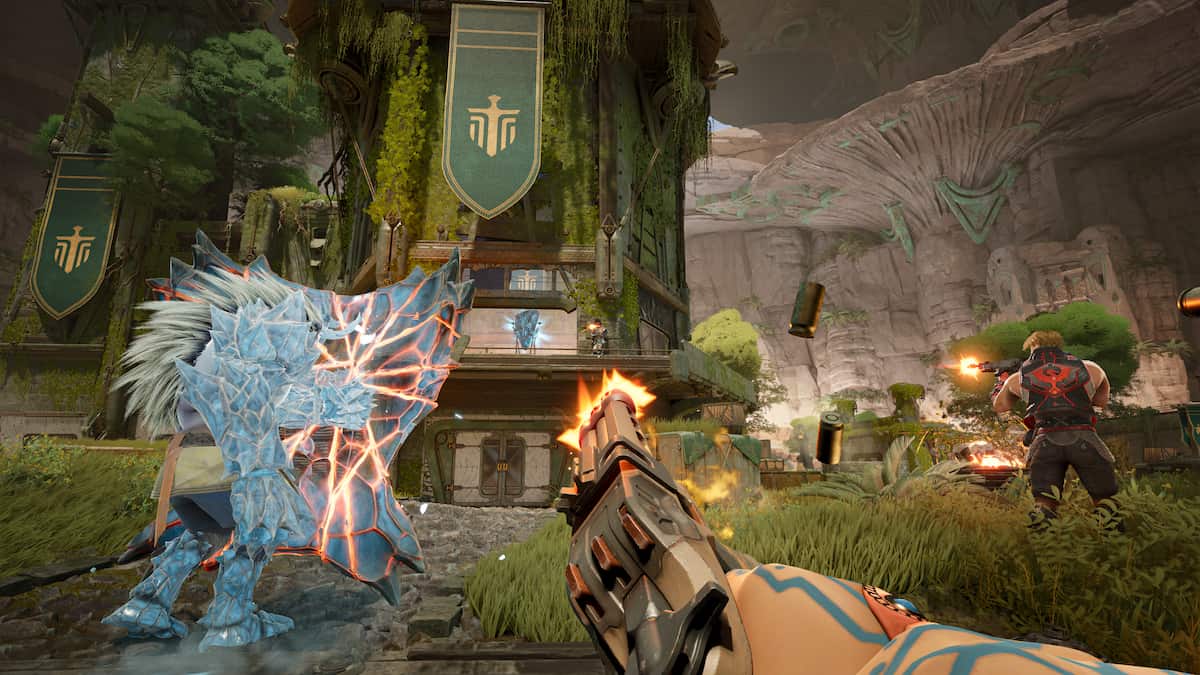
Highguard is a PvP raid shooter with playable characters called Wardens that have unique abilities, but in the end, it comes down to weapons and gunskill when winning games.
At launch, there are 10 weapons in the game, including one that can only be found in care packages that drop periodically throughout a match. The rest can be chosen in your loadout while in your base at the start of a match, or found in loot chests around the map.
Weapons improve with better rarities, which can be bought at the merchant found around the map or looted from chests. The rarities are blue, purple, gold, and the care package-exclusive red variant, and the higher the rarity, the better perks the guns will have (larger magazines, less recoil, etc.).
Here are all of the guns and weapons available in Highguard so far.
Table of contents
All weapons in Highguard
In each match, you choose two weapons and one Raid Tool. It’s advised to take a Close Quarter gun and a Mid-Range or Marksman weapon to be able to battle at all distances and ranges.
Close Quarter
- Corsair
- An experimental SMG designed to devastate at close range with rapid, triple-barreled bursts.
- Kraken
- Brutal pump-action shotgun that hits with monstrous force at close range.
- Paladin
- A cartridge-fed automatic shotgun designed to chew through enemies in a fast-firing barrage.
- Viper
- Aggressive SMG that delivers a blistering rate of fire and wreaks havoc at close range.
Mid-Range
- Vanguard
- Precision assault rifle famed for its versatility and accuracy. A staple of the Vigil arsenal.
- Big Rig (care package exclusive)
- A high-capacity, heavy-caliber LMG that levels anything in its path.
- Saber Rifle
- A compact, hammer-forged burst rifle built for rapid-fire precision.
- Dynasty
- A rugged fully-automatic assault rifle designed to hit hard and work reliably in any environment.
Marksman
- Longhorn
- Precision-engineered break-top revolver built for maximum accuracy and stopping power at any range.
- Ranger
- Lever-action sniper rifle with patented compression stock for increased accuracy and power.
Raid Tools
- Blast Hammer
- Sledgehammer fitted with explosive cartridges that detonate on impact for extra blunt force destruction.
- Rocket Launcher
- Shoulder-fired bunker buster built to destroy buildings and walls.
- Zipline Gun
- Fires high tensile wire into structures to be used for rapid vertical repositioning or traversal.
Melee
- Axe
- Vesper-forged field axe used for harvesting, teleporting, and self-defense; carried exclusively by Wardens of The Iron Vigil.
For more on Highguard, check out Destructoid’s coverage here:
- What is Highguard? ‘PvP raid shooter’ from ex-Apex Legends devs, explained
- All playable characters in Highguard – All Wardens and their abilities
- How to use mounts in Highguard – List of mount types
This article will be updated as more weapons are added to Highguard.
The post All weapons in Highguard – Full list of guns appeared first on Destructoid.
Blueprints form the backbone of your AIC factories in Arknights Endfield, and you’ll be able to create plenty on your adventures. However, you can also take advantage of community creations by importing and using their designs.
In simple words, Blueprints refer to production chain designs that can be used at your AIC base. It includes every detail of a production chain and prevents you from having to recreate everything from scratch.
Table of contents
Best factory Blueprint codes in Arknights Endfield
Thanks to the social media community, we already have a fair number of codes popping up on social media. Personally, I have loved using them, and will add more codes in the days to come. You can not only use these designs, but you can also tweak them to add your personal touch as required.
Most of these codes are working EU/NA. However, the codes with user names in brackets are meant for the SEA servers.
How to create Blueprints in Arknights Endfield
Before you get to import and use Blueprints made by others, it’s necessary to create one of your own.
- Enter the AIC Mode and open the Top View.
- Select Bulk Action, and then choose the portion of the design that you want to save as a Blueprint. This can be your entire design, or only a part.
- Once you have confirmed the selection, press Ctrl+S to save your Blueprint.
You can add your own names and descriptions to your Blueprints. You can also add icons and tags to categorize and identify them more easily in the future.
How to import Blueprints in Arknights Endfield
Creating your own Blueprint might be fun, but you can also use designs created by other Arknights Endfield players. This will allow you to harness the advantages of an efficient base design that might not have popped up in your brain.
- To import Blueprints, you’re going to need codes. Every Blueprint has a unique alphanumeric string like the ones posted in the next section. First, copy the code from outside the game.
- Go to your Core AIC (or Outposts).
- Enter Top View by pressing Q/R3 (if you’re using a controller).
- Press F1 to open the Blueprint menu.
- Switch to the Shared Blueprints tab, which will allow you to paste the copied code.
You can also visit another player’s base in Arknights Endfield, and directly copy a Blueprint (it automatically copies the applicable alphanumeric string).
The post Best Arknights Endfield Factory Blueprint codes: How to import appeared first on Destructoid.
Recommended Story For You :

Think of it as a GPS system for World of Warcraft

FIFA 2023 ULTIMATE TEAM MILLIONS MADE EASY

Joana's Clssic WotLK 1-80 & Era 1-60 Speed Leveling Guides

Empowering Gamers with the Ultimate Secret Gold Guide

A Practical Guide For Tactical Gaming

Terra Game - Where Adventure Awaits!