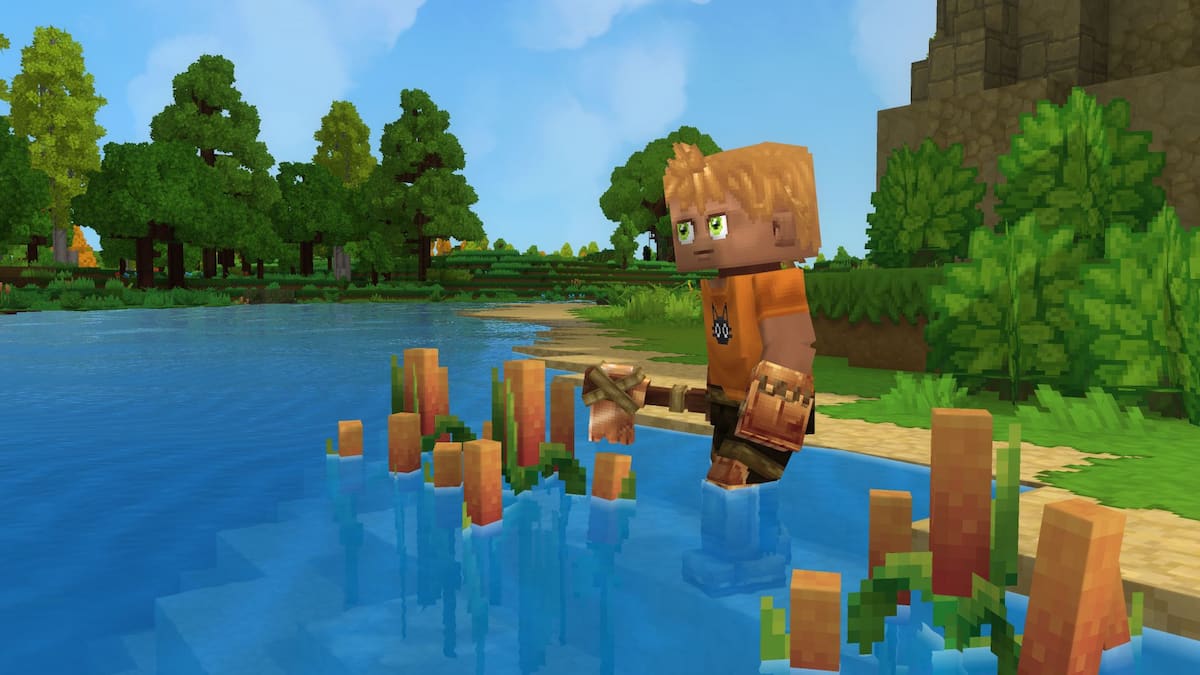
Hytale is an exciting new game that’s been long in development, having been suspended in a sort of stasis at Riot Games before being rescued by its original creators.
Very much like Minecraft in both looks and gameplay, Hytale, too, is built with mods in mind, as players are invited to tailor their experience to their liking. With that in mind, thousands of mods have already been released for this early-access title, with many more to come as the game continues toward full release.
Installing these mods is rather straightforward, so here’s everything you need to know.
How to download and install Hytale mods
Mods for Hytale are most readily available on CurseForge, where over two thousand mods have been posted since early access started. With over four million downloads thus far, it’s the primary platform for hosting Hytale mods, overshadowing the likes of Nexus Mods.
Like many other platforms, CurseForge offers its own mod manager, which you can download and use to install mods. Simply go to the CurseForge website and press “Get CurseForge app,” download it, and install it. Then, whenever you want to install a mod, open it up and click “Install via App.”
If asked to navigate to the game’s directory, you can find it by going into the Hytale launcher, pressing the gear icon, and clicking on “Open Directory.”
Mods can also be installed manually. To do so, open up the CurseForge website, navigate to a mod of your choice, then press the arrow next to the “Install via App” button. There, you’ll get a prompt to manually download the mod’s files, which you will then have to place in the proper folder.
Keep in mind that some mods cannot be installed via the app nor by being added to the Mods folder and have their own set of instructions that you need to follow. This is usually indicated in their mod descriptions, so be sure to thoroughly read them.
After you’ve downloaded the necessary files (and verified that the mod can, indeed, be installed the traditional way), navigate to your game’s directory, then UserData, then the Mods folder. Simply place the file(s) (usually with the .jar extension) into the folder, and you’re set.
Now you need to activate any installed mods.
You first need to create a world and, once you’ve done so, quit and navigate back into the “Worlds” tab. Then, right-click the world you wish to modify, and you’ll find that a new “Mods” tab shows up under the image on the left, showing all the mods you have installed. Simply enable those that you want present in that world and press “Save world settings.”
And that’s it, the installed mods should be active on that world. You can change this at any time, toggling mods on or off, though be aware of the implications of removing crucial mods without starting a fresh world.
The post Hytale modding guide – How to install mods in Hytale appeared first on Destructoid.
Upcoming title Bladesong could become the next unique adventure for you in January when the game goes live on PC.
While there have been plenty of games where we get to wield a sword, Bladesong requires you to make them instead. This guide will help you stay on top of the upcoming launch so you can jump in at minute one.
Table of contents
Bladesong release countdown
Bladesong will be released on Jan. 22 worldwide, and it’s exclusively available on PC. The following countdown will expire once the launch goes live.
[hurrytimer id=”1168253″]
The countdown is based on the following timings.
- 6am PT
- 8am CT
- 9am ET
- 2pm UTC
- 3pm CET
The information available here is from SteamDB. If there’s any change in the schedule, the updated timings will be added to this guide.
What to expect from Bladesong
If you’ve been playing video games for as many years as I have, you must have used plenty of swords. In Bladesong, you can craft swords without any limits. Thanks to its modular crafting system, you can craft a sword of any design, shape, and size.
With warriors and nobles seeking your services, you’ll have to meet specific needs and expectations. Making a sword will be easy, but giving it shape and turning it into a masterpiece won’t be so simple. You’ll also have to discover secrets in Eren Keep as you spend most of your time smithing the next perfect sword.
There’s a Campaign mode available for those who want to enjoy a narrative journey. Alternatively, you can simply try out your imagination in the Creative mode. If you want to check out the core gameplay, a free demo is available on Steam.
The post Bladesong release countdown: Exact date and time appeared first on Destructoid.
Recommended Story For You :

Think of it as a GPS system for World of Warcraft

FIFA 2023 ULTIMATE TEAM MILLIONS MADE EASY

Joana's Clssic WotLK 1-80 & Era 1-60 Speed Leveling Guides

Empowering Gamers with the Ultimate Secret Gold Guide

A Practical Guide For Tactical Gaming

Terra Game - Where Adventure Awaits!