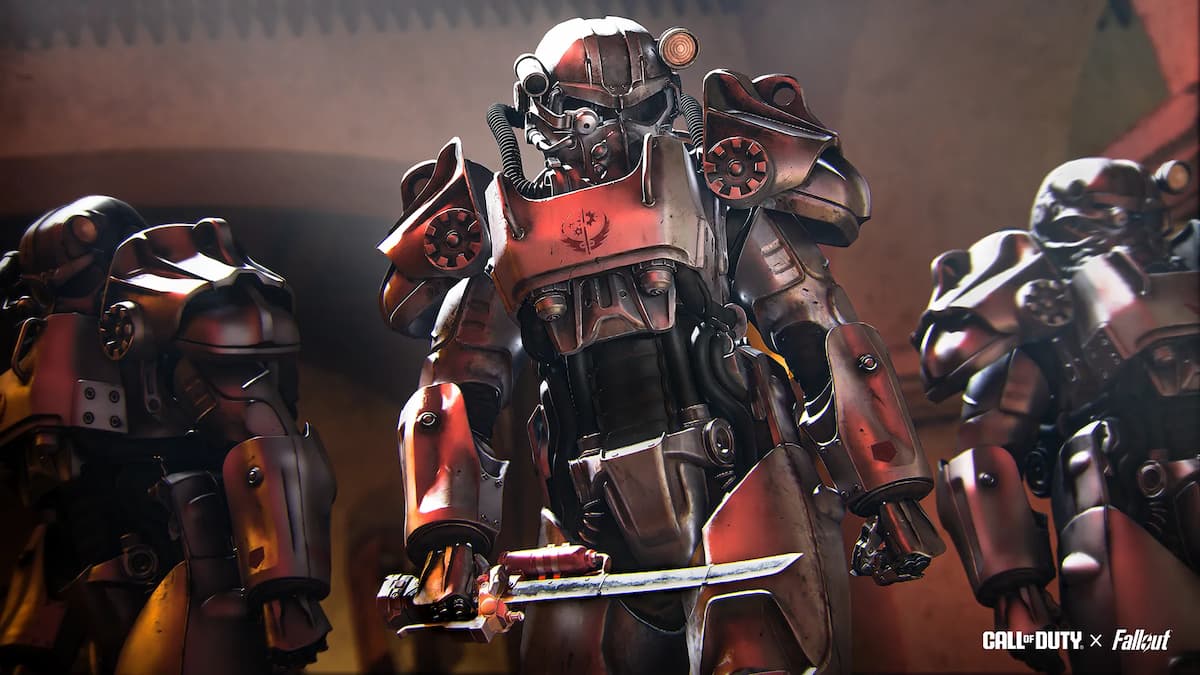
Call of Duty: Black Ops 7’s first event pass is set to hit this afternoon to coincide with the Season One Reloaded update, and its Fallout TV show theme has players quite excited and impressed with what it offers.
Yes, the premium track of the pass costs 1,100 CoD Points (about $10), but even the free rewards are pretty awesome. Players can unlock a total of 10 items simply by playing the game without putting in any investment.
The free track of the event pass includes two Vault Dweller operator skins, a Vault Boy weapon charm, Vault-Tec weapon camo, and the new Sturmwolf 45 SMG. So, if you’re even remotely interested in BO7 at this point, it’ll definitely be worth playing to unlock everything.
But the premium track is also quite nice, especially for the price compared to other store bundles that clock in at around $20 or more. It has operators and skins for both The Ghoul and Maximus, three weapon blueprints and other cosmetics. And CoD fans are genuinely digging what they see so far.
“That one is ACTUALLY worth spending the money on the premium track… nice!” said one player on X/Twitter, while another remarked that it’s “100 times better than any of the garbage BO6 event passes we had.” A lot of the same sentiment can be seen across multiple social media channels.
CoD Points are given as part of the battle pass each season on top of being able to purchase them with real money, so if you play BO7, this seems like about as good a value as you’ll find. While many others and I rightfully scoff at the pricing of some bundles (the Lucy MacLean Fallout bundle is not included in any of the freebies or event pass), this event seems like it’s worthwhile if you’re a CoD player in 2026.
The Fallout collab is also introducing multiple limited-time modes and even a reskin of Nuketown called Vault Town, where the iconic location is decked out in Vault-Tec scenery. But personally, I’m most looking forward to the Zombies mode, where you can fight the Bethesda franchise’s terrifying Deathclaws.
I have some CoD Points accrued in my account that I’ll probably be using for this event pass, but even if I end up deciding against that, the free rewards will have me in the game for the first time in weeks. Oh, and Fallout season two is currently airing on Prime Video and is quite good, too, so the vibes around everything in this update (at least so far) are positive.
The post CoD players have a lot of praise for Black Ops 7’s Fallout event: ‘Actually worth spending the money on’ appeared first on Destructoid.
StarRupture becomes a different proposition when you’re aiming to survive Arcadia-7 together with your buddies.
The current system of the early access build allows you to play in co-op lobbies of up to four players (including yourself). The multiplayer relies on the classic ‘host-based‘ gameplay, but there’s a modern twist that Creepy Jar has put in place.
How to play Multiplayer in StarRupture
To play in co-op, one of your group members has to be the host. The host is the person who creates the main world and sets up the game. Being the host doesn’t have any in-game advantage, so you can relax on that part. Once they have created the save, the host has to choose between ‘Friends Only’ or ‘Invite Only’.
The first option requires the host to invite every player for a session manually. The second option takes that requirement away, but the other players will have to be present on the host’s Steam friend list. To invite a player, the host will have to open the menu. By pressing on the empty slots, they can invite other players via Steam.
Once the other players have accepted the invite, they will be able to play together with the host. Usually, the host leaving the game would have meant the server shutting down. That can be prevented with the use of SaveSync (this is a third-party application that currently supports StarRupture and plenty of other co-op games).
How to use SaveSync in StarRupture
To use the software, both the host and other members in the group will need to own the software. SaveSync can be purchased and installed directly from Steam. Once done, you’ll have to open the app and click New Save after selecting StarRupture. All the available saved sessions will appear. Pick one and click Create Save.
The process above has to be done by the host. Once the sync is complete, there will be a green tick. The host can now share the save with the rest of the group. To join, you’ll have to open the SaveSync app. The shared file will appear automatically in your list of saves when you pick StarRupture. Choose Activate after selecting the saved file to make it available. Once done, you’ll be able to play in the same co-op world irrespective of the host’s presence.
The post How to create a Multiplayer server in StarRupture appeared first on Destructoid.
Recommended Story For You :

Think of it as a GPS system for World of Warcraft

FIFA 2023 ULTIMATE TEAM MILLIONS MADE EASY

Joana's Clssic WotLK 1-80 & Era 1-60 Speed Leveling Guides

Empowering Gamers with the Ultimate Secret Gold Guide

A Practical Guide For Tactical Gaming

Terra Game - Where Adventure Awaits!