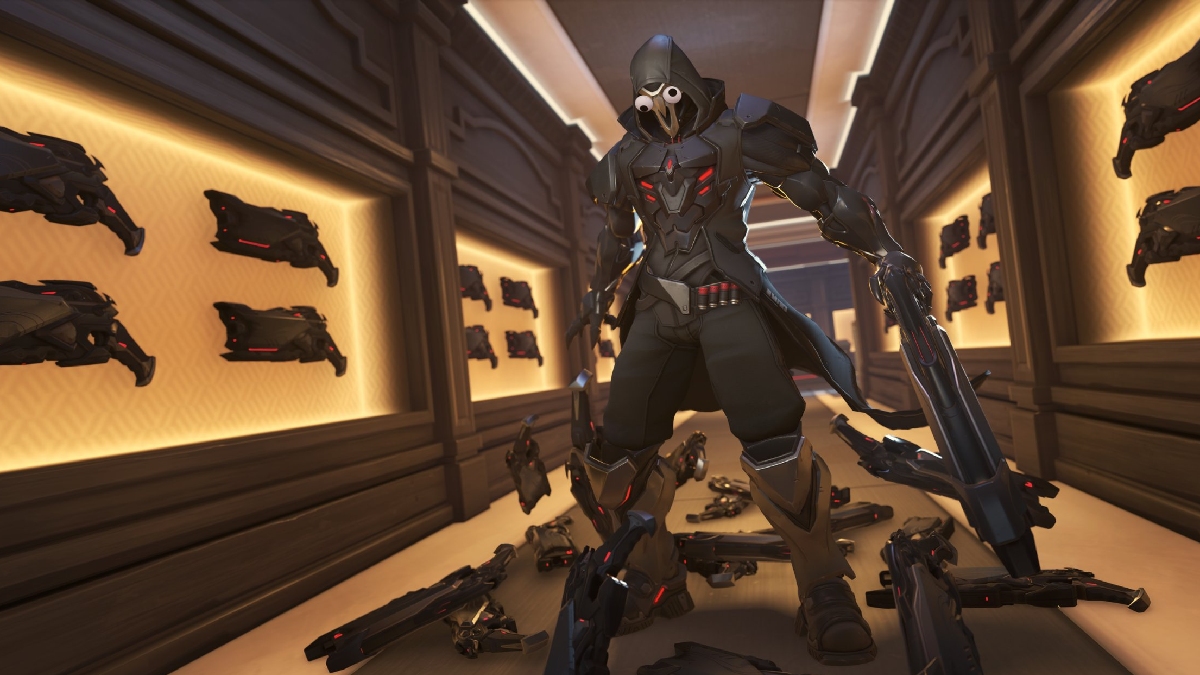
Overwatch 2 players can enjoy the Showdown Shuffle mode as part of Season 20 events, and Blizzard has shared what we can expect.
The limited-time mode will go live a week after the mid-season patch, which was released on Jan. 9. This mode, as you might have expected, will be different from the traditional Overwatch 2 experience. At its core will be various modifiers applied at random.
Table of contents
Overwatch 2 Showdown Shuffle event duration
Showdown Shuffle will be going live across all platforms on Tuesday, Jan. 13. Once the mode goes live, you’ll find it in the Arcade playlist. The event will be available for two weeks. Unless Blizzard changes their plans, Showdown Shuffle will be available until Monday, Jan. 26.
All Overwatch 2 Showdown Shuffle modifiers
There are 12 modifiers that will be part of the Showdown Shuffle mode. The modifiers will activate randomly during a match.
| Modifier | How they work |
|---|---|
| Mini Maxing | All heroes are 50% smaller. Health reduced by 30% |
| Lie Low | Heroes become invisible while crouching. However, their invisibility can still be detected at a short distance. The hero stops being invisible when they receive damage or attacks. |
| Power Punch | Quick melee attacks knock back enemies. |
| Vampiric Healing | Heroes don’t passively regenerate HP, but each hero has the vampiric passive. |
| Aerial Combat | Heroes deal and receive 50% more damage while in the air. Gravity decreased. |
| Back in Action | Respawn time decreased. Does not apply during Overtime. |
| Damage Pack | Health packs also increase damage dealt by 250% for 10-20 seconds or until death. |
| Berserkers | Heroes don’t passively regenerate HP. For each 10% of total HP lost, increases attack speed by 6% and reduces cooldowns by 6%. |
| Super Jump | Heroes jump 200% higher. |
| Explosive | Heroes explode on death, dealing damage to all nearby heroes. |
| Hyper Speed | Movement speed is increased by 30% for all heroes. |
| Buff Hunt | Every minute, one random hero has increased HP, deals more damage, and generates ult charge faster. Eliminate the buffed hero to gain the buff. |
There will be exclusive challenges that you can complete to win cosmetics, lootboxes, and Battle Pass XP.
The post Overwatch 2 Showdown Shuffle mode release date, modifiers, and more appeared first on Destructoid.
StarRupture becomes a different proposition when you’re aiming to survive Arcadia-7 together with your buddies.
The current system of the early access build allows you to play in co-op lobbies of up to four players (including yourself). The multiplayer relies on the classic ‘host-based‘ gameplay, but there’s a modern twist that Creepy Jar has put in place.
How to play Multiplayer in StarRupture
To play in co-op, one of your group members has to be the host. The host is the person who creates the main world and sets up the game. Being the host doesn’t have any in-game advantage, so you can relax on that part. Once they have created the save, the host has to choose between ‘Friends Only’ or ‘Invite Only’.
The first option requires the host to invite every player for a session manually. The second option takes that requirement away, but the other players will have to be present on the host’s Steam friend list. To invite a player, the host will have to open the menu. By pressing on the empty slots, they can invite other players via Steam.
Once the other players have accepted the invite, they will be able to play together with the host. Usually, the host leaving the game would have meant the server shutting down. That can be prevented with the use of SaveSync (this is a third-party application that currently supports StarRupture and plenty of other co-op games).
How to use SaveSync in StarRupture
To use the software, both the host and other members in the group will need to own the software. SaveSync can be purchased and installed directly from Steam. Once done, you’ll have to open the app and click New Save after selecting StarRupture. All the available saved sessions will appear. Pick one and click Create Save.
The process above has to be done by the host. Once the sync is complete, there will be a green tick. The host can now share the save with the rest of the group. To join, you’ll have to open the SaveSync app. The shared file will appear automatically in your list of saves when you pick StarRupture. Choose Activate after selecting the saved file to make it available. Once done, you’ll be able to play in the same co-op world irrespective of the host’s presence.
The post How to create a Multiplayer server in StarRupture appeared first on Destructoid.
Recommended Story For You :

Think of it as a GPS system for World of Warcraft

FIFA 2023 ULTIMATE TEAM MILLIONS MADE EASY

Joana's Clssic WotLK 1-80 & Era 1-60 Speed Leveling Guides

Empowering Gamers with the Ultimate Secret Gold Guide

A Practical Guide For Tactical Gaming

Terra Game - Where Adventure Awaits!